What it does
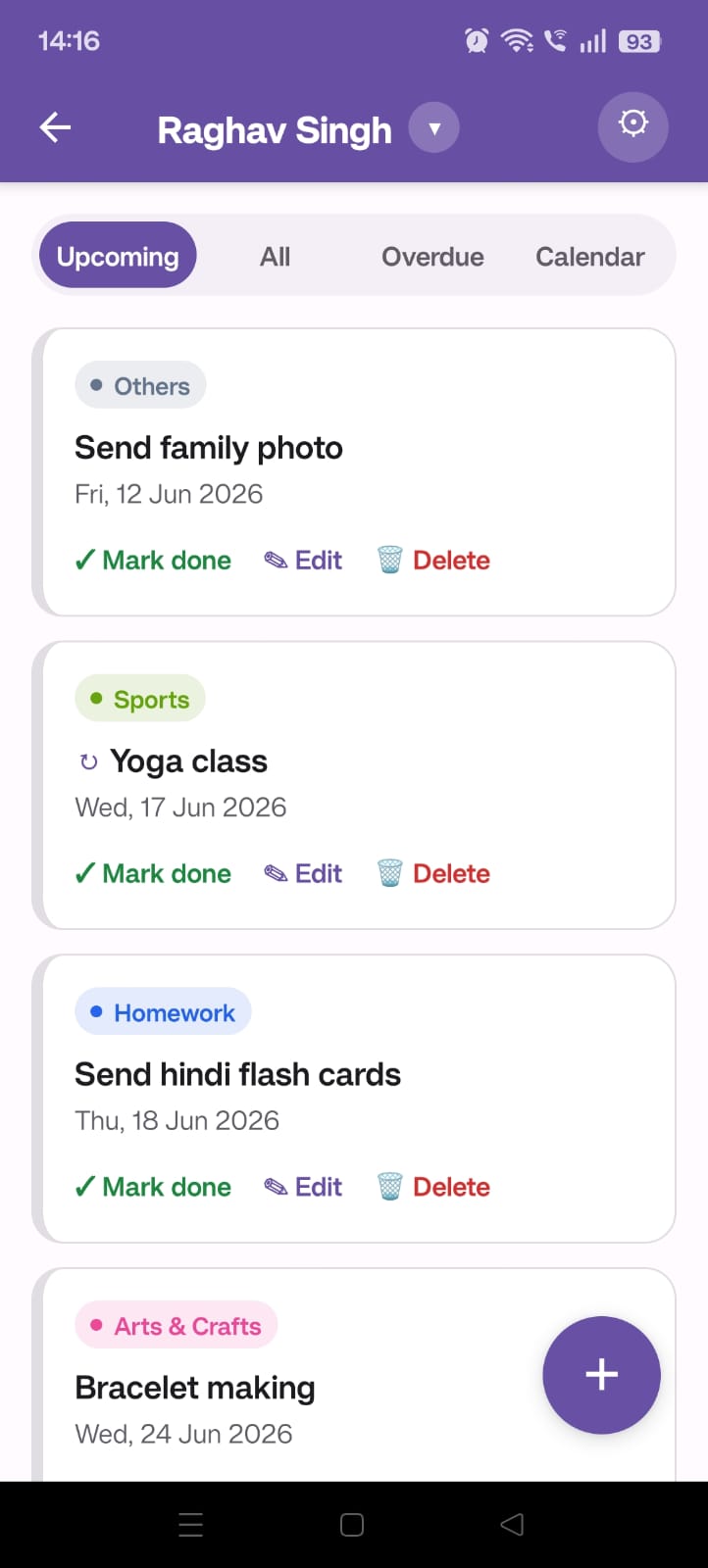
School life comes with parental homework — some things due by a date (family photo by Friday, fees by the 15th), some happening on a date that needs prep (school trip Saturday, costume for talent hunt Monday). Things pile up, both parents are half-aware, someone always remembers a day too late.
SkoolBuddy is a private shared list both parents see in real time. Add a deadline once, both phones remind you the day before. No more "I thought you were handling that."
Why parents like it
Two parents, one list
Sign in with Google, share an invite code with your co-parent. Real-time sync across both phones.
Share with the class
Bundle a set of deadlines into a list and share it. Any parent in your kid's class can adopt the whole list to their child in a tap.
Reminders on both phones
Push notifications two days before, the day before, and the morning of — to both parents, automatically.
Recurring deadlines
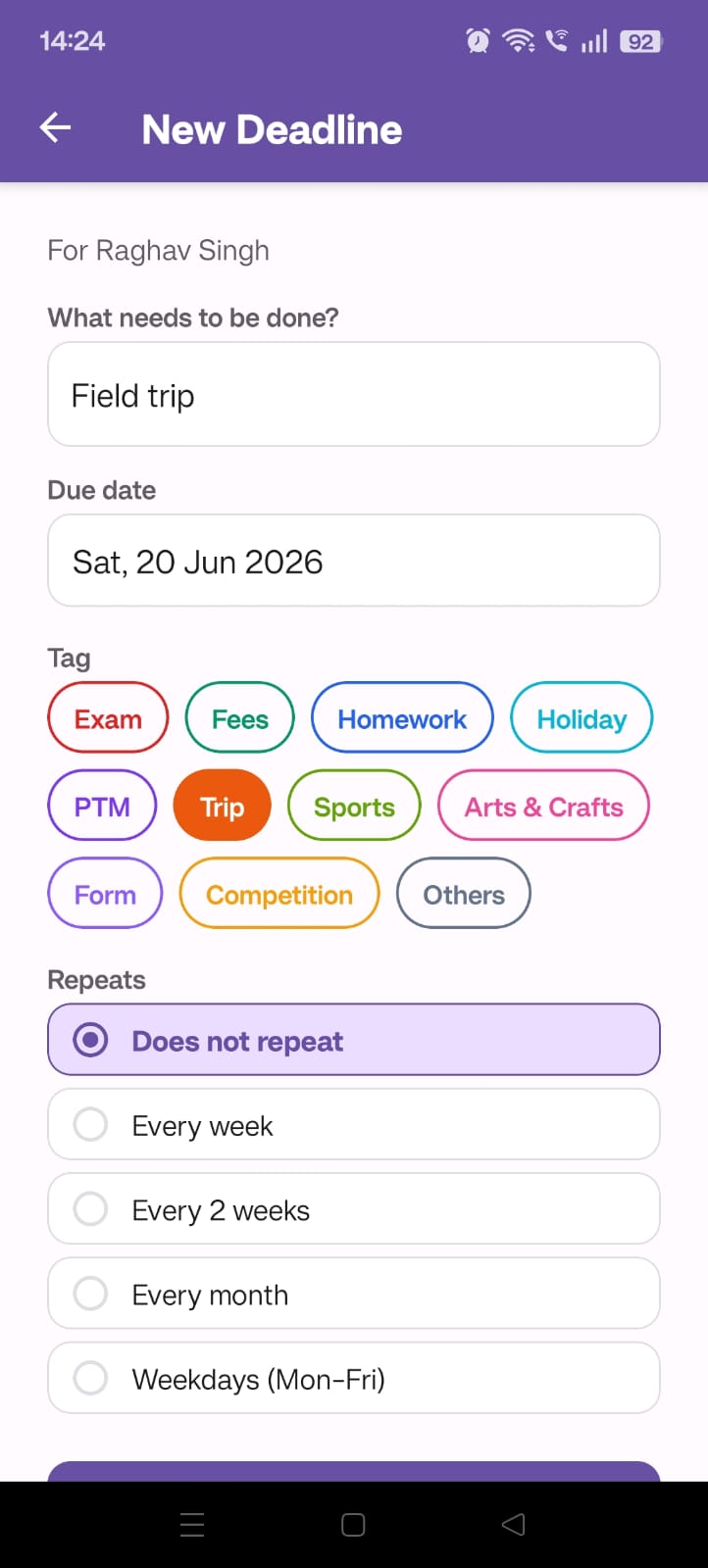
"Sports kit every Wednesday" — set once, app keeps generating future occurrences.
Attachments
Snap the school circular or PDF and attach it to the deadline — both parents can open it later without hunting.
Calendar at a glance
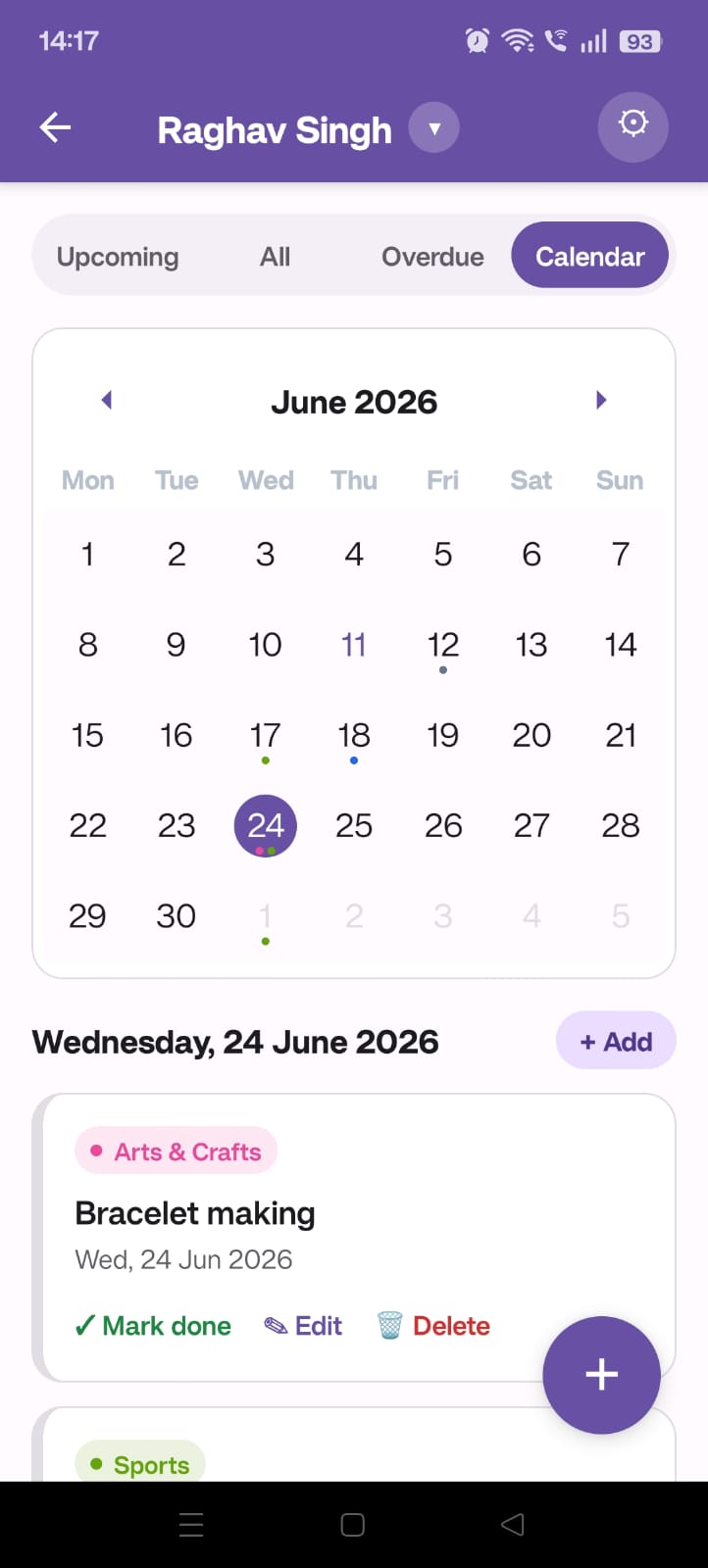
See every deadline laid out on a month grid, colour-coded by tag.
Private to your family
Only the parents you explicitly invite with the share code can see your data.
No subscription. No ads.
Free to use. Built and maintained by a parent who needed it.
Made once. Adopted by the class.
Every class has that one parent who tracks everything. In SkoolBuddy, their list can quietly become everyone's list — shared once, adopted by any parent in the same class with a single tap. The WhatsApp group can finally stop asking "what was due today?"
Only parents whose kids are in the same school and grade can see a shared list. Nothing leaves your class.
Screenshots
Get the app
Android only for now. iOS coming if there's interest.
Privacy
Your data — children's names, deadline titles, due dates — is stored privately in the cloud. Other parents can only see it if you explicitly share an invite code. We don't sell or share data with anyone, and there are no ads or third-party trackers.